PhotoTune - AI Photo Enhancer
AI powered photo repair and one tap enhancements
AI powered photo repair and one tap enhancements
PhotoTune - AI Photo Enhancer aims to simplify photo cleanup and styling by pairing machine learning with familiar editing controls. It caters to two common needs: fixing flawed images and giving already decent shots a more polished look, all without overwhelming beginners.
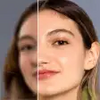
The repair toolkit is the standout. Unblur tackles soft or shaky captures, Colorize breathes life into grayscale or faded pictures, and Upscale boosts resolution when you need more detail. When you want to craft a specific aesthetic, you can fine tune exposure, contrast, and saturation, then layer on filters such as vintage or black and white to match a mood.
If you prefer quick results, the app’s AI analysis offers a one tap route to better looking photos. It evaluates your image and applies a bundle of adjustments automatically, which is handy for fast fixes or when you are unsure where to start. This intelligence relies on online processing, though, so an active internet connection is required. That limitation means you cannot use the full feature set offline, and it also introduces a caveat: there are reports of edits failing to process or returning errors, which can disrupt a session.
As an all around editor, PhotoTune strikes a practical balance between presets and manual control. It suits anyone who wants to restore older or blurry images, then keep refining with sliders and stylistic effects. The online only design and intermittent processing hiccups prevent it from being a seamless choice in every scenario, especially if you often edit without connectivity or need consistent, uninterrupted output. Still, for straightforward enhancements and approachable restoration tools, it delivers a flexible set of capabilities that can elevate everyday photos with minimal effort.
Developer
vyro.ai
OS
Version
5.5.6
License
Free
Similar to PhotoTune - AI Photo Enhancer