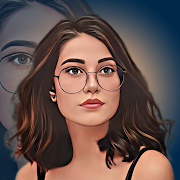
Phocus : Portrait Mode Portrait Lighting Editor
Studio style portrait lighting with one tap simplicity
Studio style portrait lighting with one tap simplicity
Phocus : Portrait Mode Portrait Lighting Editor focuses on turning ordinary portraits into studio-like images with minimal effort. Its standout capability is fast portrait lighting: apply an effect in seconds, then tailor the mood with a range of color options that push your photos toward a more artistic look. If you want to go beyond single images, it also supports quick photo montages, keeping the process straightforward and approachable.
The interface leans on simplicity. One tap analyzes the shot and adds lighting, after which you can experiment with different hues to find a style that suits the subject. This streamlined approach is ideal for users who want attractive results without digging through complicated tools or tutorials.
Results, however, depend heavily on the photo you start with. The app encourages taking a clear, well posed picture before editing, since a strong original image produces cleaner separation and more convincing lighting. Patience matters too. A considered pose and a carefully captured shot will pay off, and using a higher quality camera helps the final effect look more polished. In short, the better the source, the better the outcome.
Because the focus is on speed and accessibility, control is intentionally light. You will not find deep, multi-layer editing here, but for fast enhancements and creative color treatments, it delivers exactly what it promises.
If your goal is to elevate portraits with a single tap, add tasteful lighting, and explore color-driven styles without complexity, Phocus is a neat fit. It makes quick work of portraits and montages, letting you nudge everyday images toward a more refined, studio-like finish.
Developer
Ray Informatics
OS
Version
16.0.0
License
Free
Similar to Phocus : Portrait Mode Portrait Lighting Editor