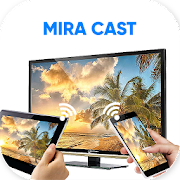
Miracast Wifi Display
Wireless screen mirroring to your TV with Full HD and audio
Wireless screen mirroring to your TV with Full HD and audio
Miracast Wifi Display turns your device into a cable-free HDMI substitute, cloning your screen to a compatible smart TV or wireless display adapter with picture and sound. Once connected, everything on your handset is mirrored to the big screen, including apps, videos, photos, and system menus, so it feels like using your phone on a television.
The technical backbone is H.264, which helps deliver Full HD video paired with surround sound. A key advantage is support for protected media, so DRM content like certain music tracks or disc-based movies can be mirrored without workarounds. If your goal is to watch films, run presentations, or showcase apps to a group, the feature set covers the essentials.
Getting started is simple as long as the requirements are met. Your television needs to support Miracast or a wireless display feature, and both the phone and the TV must be on the same Wi-Fi network. If the phone is on mobile data while the TV sits on Wi-Fi, the session will not initiate. The app works with a range of Android devices running version 4.2 or later, though not every model is supported, so hardware compatibility is something to check.
There are trade-offs. Advertising can interrupt the flow, and if your internet connection is weak, you may notice stutter during casting. Because this is true screen mirroring, you cannot multitask on the phone while keeping different content on the TV, which limits background use during playback.
Miracast Wifi Display is a practical pick if you want a straightforward path to big-screen viewing without wires. It shines when your network is solid and your hardware supports the standard, offering high-quality picture and audio along with the convenience of mirroring everything in real time.
Developer
The Tree Team
OS
Version
2.8
License
Free
Screenshots


Similar to Miracast Wifi Display